Touchscreen Arcade vs. Traditional Arcade Machine: What's the Difference?
Touchscreen or buttons? How touchscreen arcade machines and joystick-and-button machines differ in games, players, size, upkeep and price, and how to tell which one fits your home.

Highlights
- A joystick suits fast action games; a touchscreen suits cards, puzzles, trivia and word games anyone can play
- Controls and size are separate choices: both types come as floor cabinets and as machines that sit on a counter
- Sticks and buttons wear but cost a few dollars to replace; a touchscreen trades them for a screen to protect
- Touchscreen bartops have been bar fixtures since the 1990s; Megatouch production ended in January 2014
A traditional arcade machine is played with a joystick and buttons. A touchscreen arcade machine is played by tapping and dragging on the screen itself. That choice, touchscreen or button controls, decides which games a machine can run well and who in your house will actually play it: a stick is built for fast action games that need precise, simultaneous inputs, while a touchscreen is built for cards, puzzles, trivia, word games and bar-sports classics that anyone can pick up without being shown.
Most comparisons mix that decision up with a second one, which is size. The two are separate. A joystick machine does not have to be a six-foot cabinet, and a touchscreen machine is not automatically small. This guide takes them one at a time, then covers what wears out, what each type costs in 2026, and how to choose.
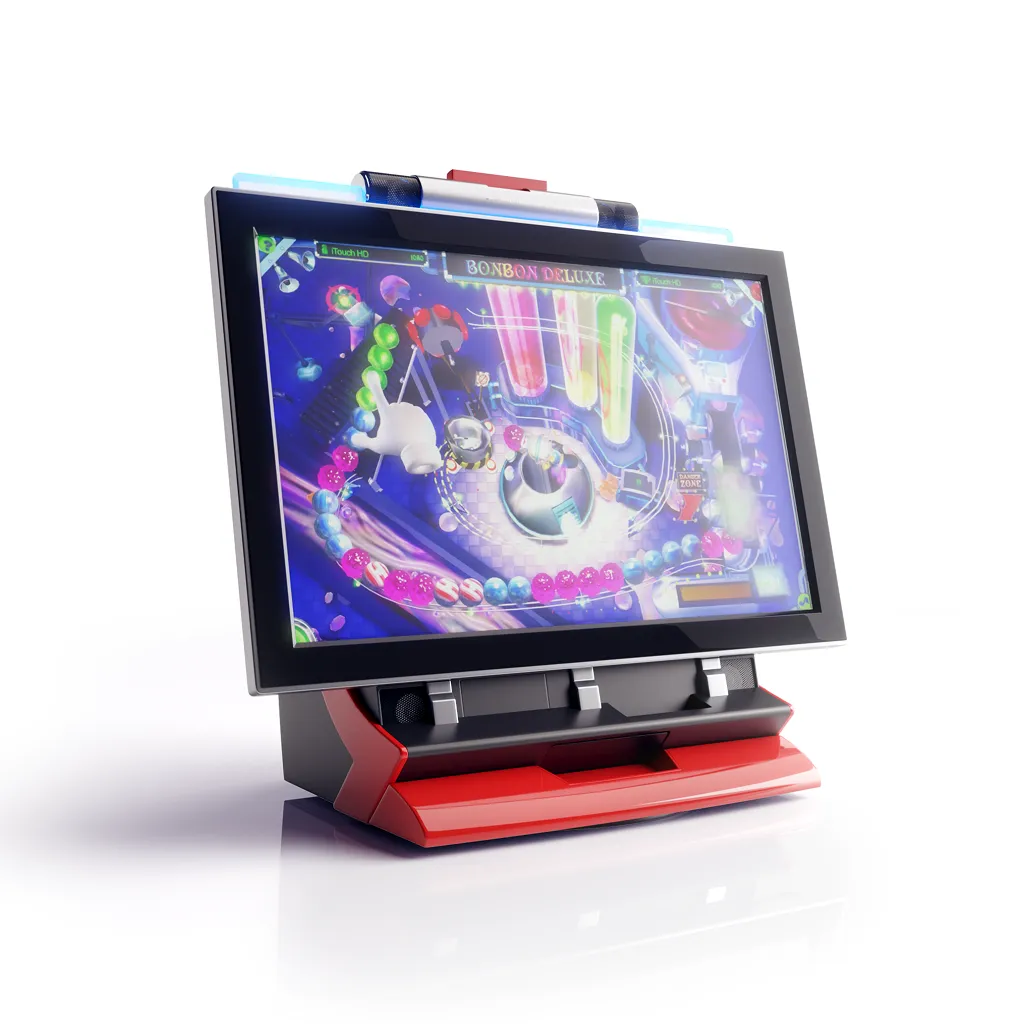
Touchscreen vs buttons: how the controls change the games
Joystick and buttons
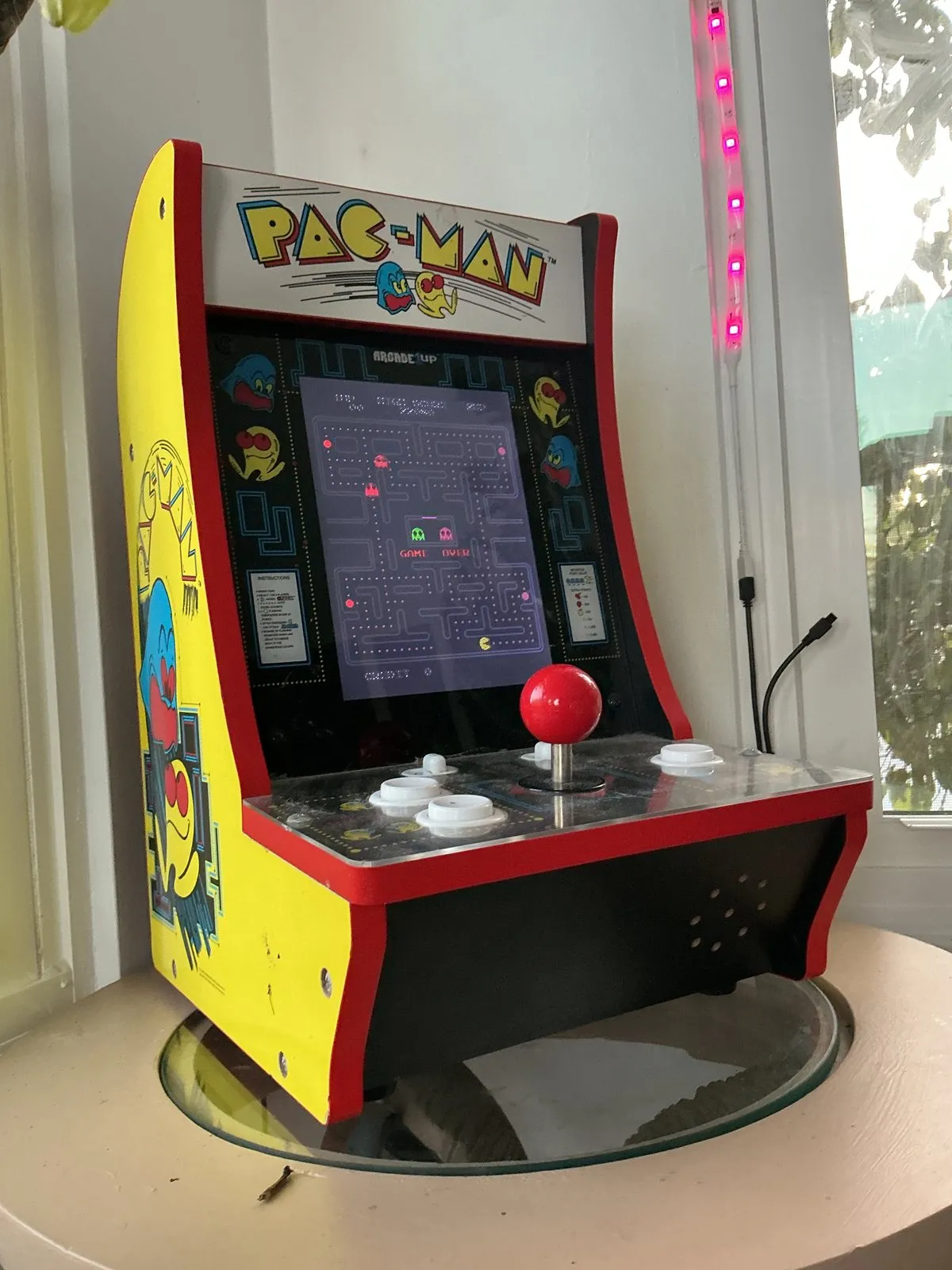
A traditional control panel gives each player an eight-way stick and a row of six to eight buttons, each one a mechanical switch. The player can hold a direction and press two buttons in the same instant, and that is what fighting games, shooters, platformers, maze games and most racing games are designed around. The skill is physical and it carries over from one machine to the next, which is a large part of why people who grew up in arcades still want a stick in the hand.
Touchscreen
On a touchscreen the player touches the thing they want to move: a card, a tile, a letter, the angle of a shot. That suits games built on decisions rather than reflexes, such as poker, blackjack, solitaire, mahjong, match-three puzzles, trivia, word games and darts or bowling played with a flick of the finger. Turns are short, so two or three people can pass the machine around a bar or table.
The limit runs the other way. A touchscreen cannot give you a physical stick, and joystick games moved onto one with an on-screen pad lose the precision they were designed for. A touchscreen machine is only as good as a library written for touch. That is why the countertop machines that lasted in bars shipped their own games rather than ports of joystick titles: Megatouch's library was written for Megatouch, and the 149 games on JVL's ECHO HD3 are JVL's own, built for a touchscreen and for two people trading turns.
Who will actually play it
A joystick rewards practice. For someone who spent their teenage years in an arcade, that is the appeal. For a guest who did not, a panel of six buttons is something to watch rather than try, and a joystick machine at home often ends up with one regular player.
A touchscreen has no learning step: anyone who has used a phone knows what to do with it. That matters most in a mixed room, such as a home bar on a Saturday night, a family gathering that spans three generations, or friends who would never call themselves gamers. Card, trivia and puzzle games also let two people of very different skill play each other without the result being decided in the first ten seconds.
The useful question is not which one you prefer, but who else will be standing at the machine. If the honest answer is "mostly me, and I want action games," that points to a stick. If it is "whoever is in the room," it points to a touchscreen.
Size is a separate decision
Both control types come in both sizes, so it helps to settle the space question on its own:
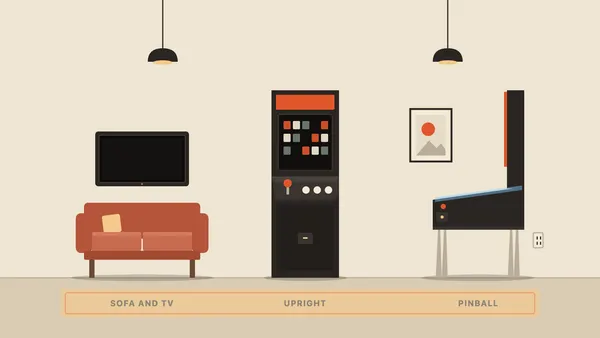
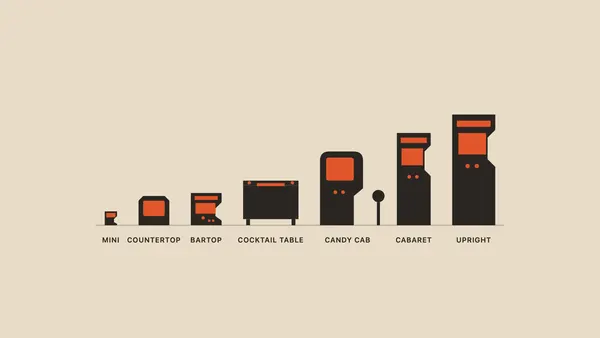
- Full-size upright: about 70 inches tall, 23.5 inches wide and 30 inches deep, standing on the floor. Home replicas stand about four to five feet tall.
- Joystick bartop: the top half of an upright, standing on a bar, counter or table; full-size models are about two feet tall.
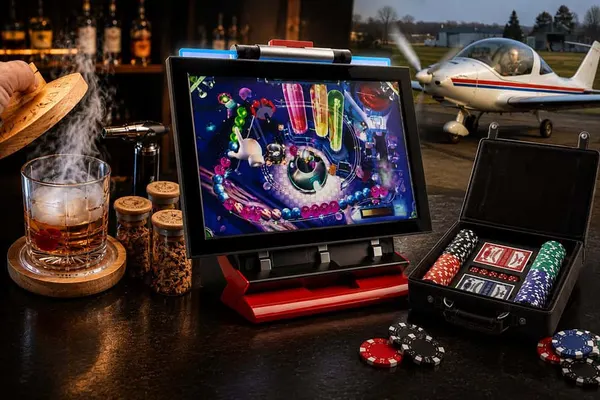
- Touchscreen bartop (also sold as a countertop): the same counter footprint built around a touchscreen. The ECHO HD3, for example, measures 15 × 19.5 × 18.5 inches and weighs 39.4 pounds.
If your constraint is space rather than game style, you do not have to give up the stick: a joystick bartop fits the same counter as a touchscreen machine. The guide to arcade cabinet types gives the sizes of every format, from uprights to cocktail tables.
What wears out, and what a repair looks like
Every arcade machine has wear parts. The two types keep them in different places.
On a traditional machine the wear is in the controls. Sticks and buttons are mechanical and take a pounding, so over years of play a stick loosens and a button stops registering. The good news is that they are standard parts that are easy to find: a Sanwa pushbutton lists at about $3 and a Sanwa joystick at about $25, and swapping one takes a screwdriver and an evening.
A touchscreen machine has nothing mechanical on its control surface, which removes the parts most exposed to wear. It does not remove failure; it moves the wear point to the screen, and the type of screen matters. Projected-capacitive glass, the kind used in phones, has no layers that move when pressed. A resistive screen uses a flexible top film that wears with use and needs recalibrating over time. It is worth asking which kind a machine uses. A touchscreen repair is a panel job, not a three-dollar part. That is why the warranty, and who answers the phone when something fails, count for more on a touchscreen machine than on a stick.
Side by side
| Traditional (joystick and buttons) | Touchscreen | |
|---|---|---|
| How you play | Stick and mechanical buttons | Tap, drag and swipe on the screen |
| Games it suits | Fighting, shooters, platformers, maze and racing games | Cards, puzzles, trivia, word games, bar sports |
| Learning curve | Rewards practice | None for anyone who uses a phone |
| Suits best | One or two committed players | Mixed groups taking turns |
| Formats | Upright, joystick bartop, cocktail table, mini | Touchscreen bartop (also sold as a countertop), game tables |
| Main wear part | Joystick and buttons | The touchscreen panel |
| Typical repair | Standard parts, a few dollars, owner can swap | Panel replacement; warranty and support matter more |
| Where the games come from | Licensed classics, or emulated multi-game boards | Libraries written for touch, usually the maker's own |
What each type costs in 2026
Price follows build quality, screen size and the game library more than the type of control. Examples as listed in October 2026, before any sale:
| Machine | Type | Price |
|---|---|---|
| Arcade1Up Countercade and Counter Series | Joystick bartop, 7- or 8-inch screen, a few licensed games | $129.99 to $249.99 |
| Arcade1Up full-size cabinets | Joystick upright replicas | $549.99 to $699.99 |
| Creative Arcades 2P Mini 19-inch | Prebuilt joystick bartop, Sanwa sticks, multi-game board | About $1,800 |
| Used Megatouch | Touchscreen bartop, no manufacturer since 2014 | About $300 to $2,700 |
| JVL ECHO HD3, Home Edition | Touchscreen bartop, 22-inch screen, 149 built-in games | $3,790 list |
Both types have a cheap end and an expensive end. What changes along the way is the screen, the build, how many games there are and where they come from, and whether anyone still makes parts for the machine.
Touchscreens have been on bar counters since the 1990s
Touchscreen arcade machines are not a new idea. Through the 1990s and 2000s, touchscreen bartops, which the trade called countertops, sat on bar counters across North America, the best known of which was Merit's Megatouch line, which ran cards, puzzles and trivia rather than action games. Megatouch announced the end of development and production on 7 January 2014, and the machines still in circulation now trade used with no manufacturer behind them; the history of Megatouch covers what happened and what a used one costs.
JVL has built bartop machines since 1995, with the same basic format throughout: a compact machine, a touchscreen as the main interface, and a large game library in one unit. The current ECHO HD3 is the eleventh generation of that line, with a 22-inch touchscreen, 149 built-in games, a 360-degree swivel base for head-to-head play, and a Home Edition that runs as a free-play machine. It carries a one-year all-inclusive manufacturer warranty, and support comes from the team that builds it.
Which one should you choose?
- Choose a traditional joystick machine if you want action, fighting or shooter games, you will be the main player, and you don't mind replacing a button now and then.
- Choose a touchscreen machine if the players will be guests, family and friends of all ages, card, puzzle and trivia games appeal as much as action, and you want nothing to set up or learn.
- Short on space either way? Pick the control type first, then look at joystick and touchscreen bartops, which both sit on a counter.
- Buying a touchscreen? Ask what kind of screen it uses, where its games come from and what the warranty covers.
The bartop arcade buying guide goes through what to check on each kind before you buy.
Frequently asked questions
Are touchscreen or button controls better for a home arcade machine?
Neither is better across the board. Buttons and a joystick suit fast action games and the players who grew up with them; a touchscreen suits cards, puzzles and trivia that guests of any age can pick up.
Do touchscreen arcade machines break more easily?
Not as a rule. There is no joystick or buttons to wear out, but the screen becomes the part to protect, and replacing it costs far more than a $3 button, so check the warranty.
Can you play classic joystick games on a touchscreen arcade machine?
Some machines offer an on-screen joystick, but games designed for a stick lose the precision they depend on. If classic action games are why you are buying, get a joystick machine.
How much space does a touchscreen arcade machine need?
A bartop needs no floor space: it sits on a bar, counter or table and plugs into a standard outlet. The ECHO HD3 measures 15 × 19.5 × 18.5 inches.
How many games come on a touchscreen arcade machine?
It varies by maker. The ECHO HD3 has 149 built-in games across action, classic, card, puzzle and quiz categories, plus an adult category that can be switched off, with no downloads or Wi-Fi needed.
Sources
7 sourcesThe materials we relied on while writing this article.